
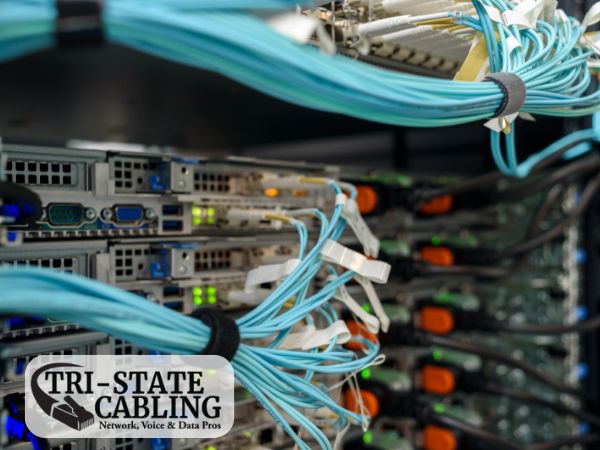
How do you document cable paths in your data center?
Effective management of a data center relies significantly on how well the cable paths are organized and documented. Proper documentation of cable paths ensures efficiency, facilitates trouble-free maintenance, and enhances the operational handling of the infrastructure. Whether dealing with data racks, multiple cables, or intricate network setups, the meticulous detailing of how cables are laid out is crucial for any data center’s operations.
Here’s a guide on the best practices for documenting cable paths in a data center.
Create Detailed Cable Maps
Creating detailed cable maps is the foundation of good cable management. These maps should include clear layouts of where each cable begins and ends, the routes they take, and where they connect within the data center.
Tips for Cable Mapping:
- Use CAD Software: Utilize computer-aided design (CAD) software to create precise and scalable diagrams of your data center’s cabling infrastructure.
- Include Physical and Logical Layouts: Document both the physical path of each cable and its logical connection within the network to provide a comprehensive overview.
Implement Color Coding and Labeling
Color coding and labeling are essential for quickly identifying cable paths, especially in environments with a large volume of wires. This system not only saves time during maintenance and troubleshooting but also reduces errors significantly.
Tips for Effective Labeling:
- Use Color-Coded Tags: Assign specific colors to different types of cables or to cables serving different purposes. For example, use red for power cables, blue for Ethernet cables, and so forth.
- Label Both Ends: Ensure that each end of every cable is labeled clearly with durable, legible tags. Include information about the cable’s source, destination, and purpose.
Maintain a Cable Management Database
For large data centers, maintaining a digital database of all cabling information is indispensable. This database should be regularly updated to reflect any changes or additions to the cable infrastructure.
Database Essentials:
- Accessibility: Ensure that the database is easily accessible to all relevant personnel but secured to prevent unauthorized access.
- Integration: Integrate the database with other data center management systems to allow for real-time updates and retrievals.
- Backup: Regularly back up the database to secure the information against data loss.
Utilize Documentation Software
There are several documentation software tools available that are specifically designed for managing data center infrastructure. These tools can help automate the documentation process, making it easier to update and maintain.
Software Features to Look For:
- Real-time Updating: Choose software that updates information in real-time as changes occur in the data center.
- Visualization Tools: Opt for software that offers robust visualization options, such as 3D mapping and interactive diagrams.
- Compatibility: Ensure the software is compatible with existing systems and can integrate smoothly with other data center management tools.
Regular Audits and Updates
Cable paths can change frequently due to system upgrades, new installations, or reconfigurations. Regular audits are necessary to ensure that documentation is up to date and accurately reflects the current state of the data center.
Audit Tips:
- Schedule Regular Reviews: Conduct formal audits of your cable documentation quarterly or bi-annually, depending on the scale of operations and frequency of changes.
- Involve Multiple Teams: Include representatives from different teams during audits to provide various perspectives and ensure all aspects of the cabling are covered.
Training and Guidelines
Ensure that all staff involved with data center management are trained in proper documentation techniques and understand the importance of maintaining accurate records.
Training Strategies:
- Regular Workshops: Hold workshops to train new employees and refresh the knowledge of existing staff on the latest documentation practices and tools.
- Create Documentation Standards: Develop and disseminate clear guidelines on how cable documentation should be handled, including standards for mapping, labeling, and database management.
Contact Tri-State Cabling for Data Rack Clean Up in New York, New Jersey, and Pennsylvania
Documenting cable paths effectively is a critical component of data center cabling that impacts the efficiency and operational integrity of a facility. By implementing a robust documentation system that includes detailed mapping, effective labeling, comprehensive databases, and regular updates, data centers can ensure optimal performance and easier maintenance. Remember, the goal is to create a system that is not just functional but also scalable and easy to manage as technology and needs evolve.
For professional rack cleanup and cable management services, contact Tri-State Cabling. Our experienced team will ensure that your data rack is organized, efficient, and optimized for peak performance.